
Fritzy screens
Your menu on your TV
A TV behind the counter that shows your fries shop's menu, with your photos and your prices. Change a price in the Fritzy app and the screen follows by itself.
- Free for Fritzy restaurants
- Always up to date
- Plugged in within 2 minutes
Always up to date, without a thought
The screen reads your Fritzy menu. What you change in the app shows on the screen within moments, without touching the TV.
Free for Fritzy restaurants
No subscription for the screen: the service is free for Fritzy restaurants. You only need the hardware if your TV is not already compatible.
The same prices as the app
The screen shows the prices of your Fritzy menu. No more chalkboard to rewrite or poster to reprint when a price changes.
Sold out? The product goes
A product you mark as sold out in the app leaves the screen. It comes back as soon as it is back in stock.
Your promotions in plain sight
A promo price shows in red, with the old price struck through right next to it.
The right menu at the right time
A category with set hours, like a lunch menu, appears on the screen and leaves it at the planned time.
Photos or price list
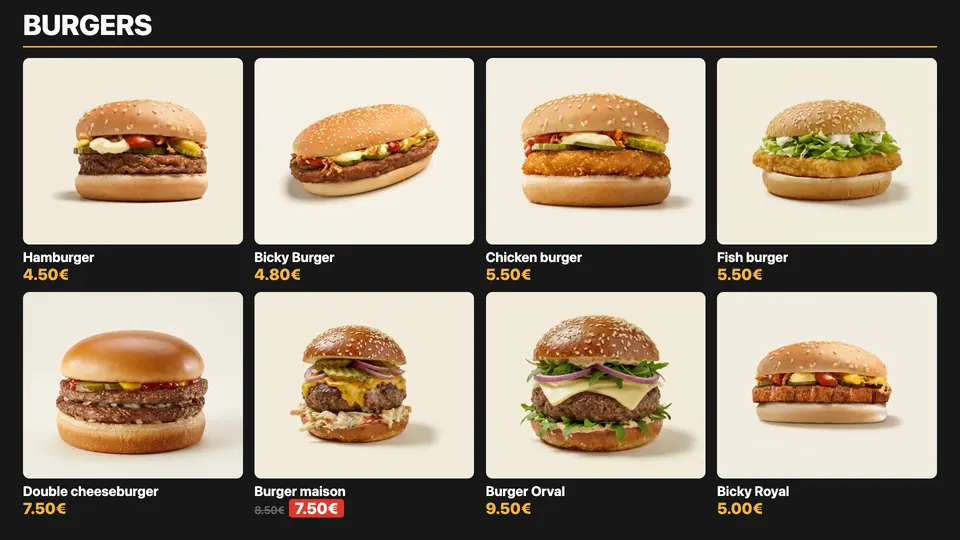
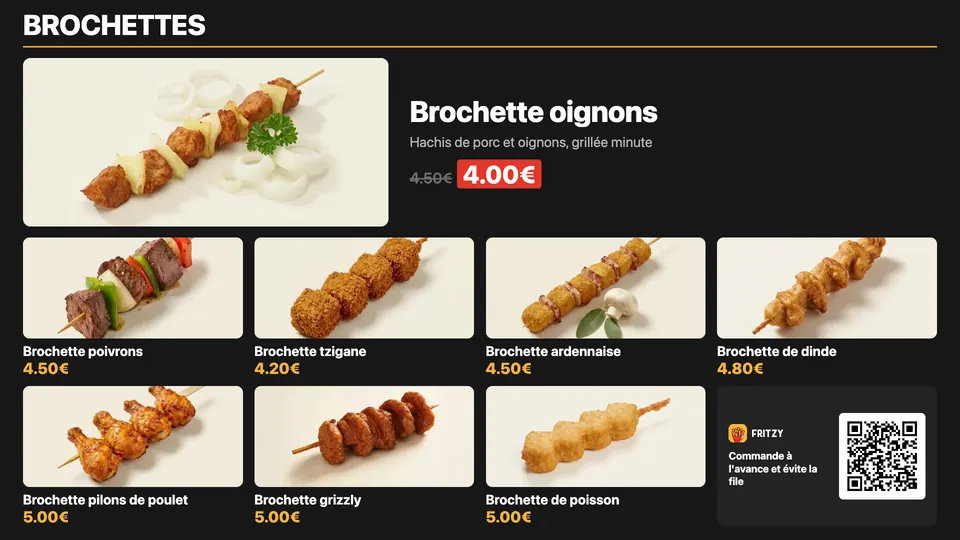
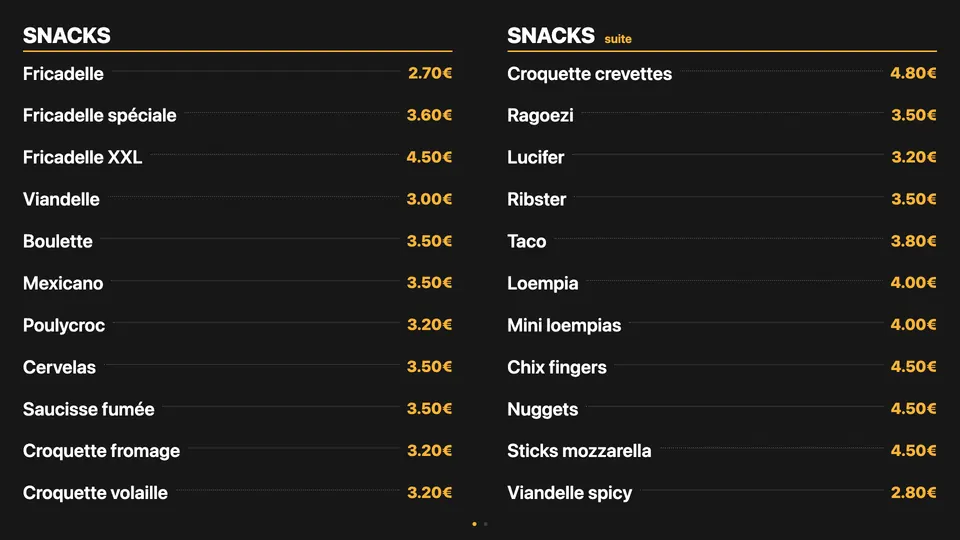
Three layouts: a photo grid, one product featured large, or a price list in one or two columns.
Your categories, in 4 languages
Each screen shows the categories you choose, in French, Dutch, English or German.
Several screens, one menu
Up to 8 TVs side by side make one big menu: their pages turn together, at the same moment.
Made to run all day
If the Wi-Fi drops, the screen keeps the last menu shown. It refreshes itself every night and shifts the picture by a few pixels to spare the TV.
On screen
Real captures of the Fritzy screen, with a sample menu. On your TV, it is your products, your photos and your prices.
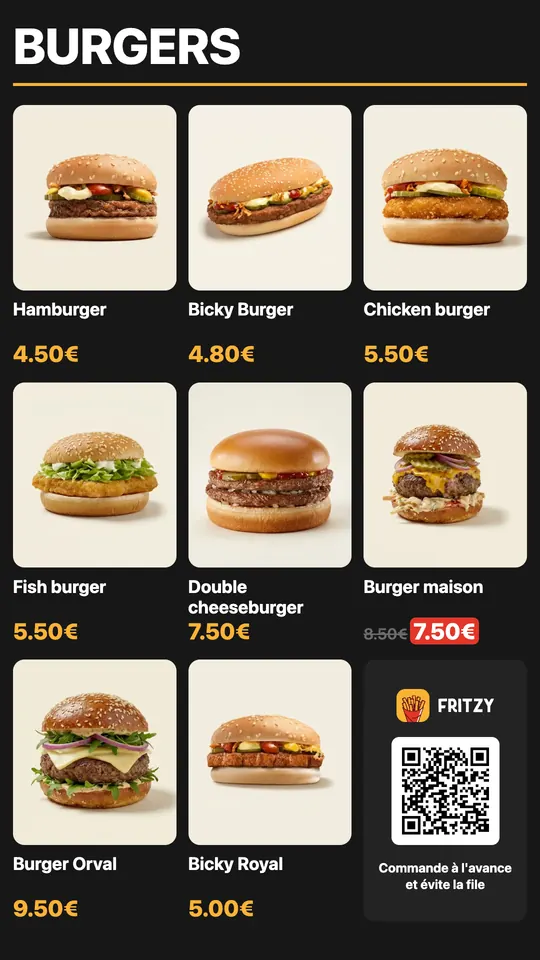
Portrait too
Is your TV hung vertically? The screen also comes in portrait, with the same layouts. Tell us beforehand: it then needs a suitable box.
- Photo grid — your products in photos, with their price.
- Featured — one product shown large, the others in photos below.
- Price list — in one or two columns, without photos.
Captures of a Full HD screen (1920 × 1080). The menu shown is a sample: the names, photos and prices are those of your menu.
The hardware
You need a TV with a free HDMI port. If it is not compatible, you need a small device: buy it yourself (we give you the list) or from us, ready to plug in and set up by us.
- Our pick
The screen kit
about €80per screen · indicative hardware price
In the box
- A 4K TV stick (Google TV) and its remote
- Its power adapter
- A short HDMI extension
- The screen app, installed and set to your menu
Who is it for?
Any TV with an HDMI port. The simplest option.
Who sets it up?
Bought from us, the stick arrives ready: we set it up before shipping, Wi-Fi included if you give it to us. Bought it yourself from our list? We set it up with you.
The wired kit
€105 to €135per screen · indicative hardware price
In the box
- A more powerful Google TV box and its remote
- A network port for an Ethernet cable
- Its power supply
- The screen app, installed and set to your menu
Who is it for?
A TV far from the internet router, weak Wi-Fi, or several screens.
Who sets it up?
Like the screen kit: from us, ready to plug in, or yourself from our list. With a network cable to the TV.
No hardware
€0of hardware · your TV is enough
How?
- Nothing to plug in: we install the screen app straight onto your TV
- It opens by itself when the TV turns on
Who is it for?
TVs running Google TV or Android TV (many Philips, Sony, TCL and Xiaomi). Samsung, LG, Hisense and the others: take the screen kit.
Who sets it up?
We install the app for you, on site or by phone, in about 15 minutes.
To plan near the TV
- A free HDMI port on the TV
- A power socket for the stick, on top of the TV's
- Wi-Fi at that spot (or a network cable for the wired kit)
Indicative hardware prices, checked in October 2026. Buy it yourself from our list, or from us, ready to plug in.
Installation in 6 steps
With a kit bought from us, your screen arrives ready: count 2 minutes, plus two settings to make once on the TV. Bought your own kit? We set it up with you.
Plug the stick into the TV
Into a free HDMI port. If it does not fit, use the short extension from the box.
Plug it into a wall socket
With its adapter, into a socket or a power strip, not into the TV's USB port: it does not give enough power.
Pick the HDMI input
Turn the TV on and pick the stick's input with the Source button on the remote. If we did not have your Wi-Fi, pick it once.
Turn off auto power-off
In the TV settings, turn off the automatic power-off after 4 hours. Otherwise the TV switches off in the middle of service.
Power on to the last input
Set the TV to start on the last input used: in the morning, it shows the menu straight away.
Done
Off at night, on in the morning as usual: the menu comes back by itself and stays up to date during the day.
The 2 TV settings not to forget
Auto power-off: off
An EU energy-saving rule turns the TV off after 4 hours without touching the remote, so in the middle of service. Look for 'Auto power off' or 'Auto standby' in the power or energy settings.
Power on: last input
Otherwise the TV starts on its home screen instead of the menu. Depending on the brand: 'Last source', 'Recent input' or 'Power on source'.
The exact name depends on the brand and model. We can make both settings with you by phone or video call.
Frequently asked questions
How much does it cost?
For Fritzy restaurants, the screen service is free: no subscription for the screen. You only need the hardware if your TV is not compatible: about €80 per screen with the screen kit (indicative price).
How do I change the menu on the screen?
As usual, in your Fritzy app: prices, products, sold out, promotions. The screen follows within moments. There is nothing to do on the TV.
Can I buy the hardware myself?
Yes. We give you the list of hardware and set up the screen with you. Or buy it from us: it arrives ready to plug in, set to your menu.
And to change the layout?
Layout, categories shown, language, time per page: we set it all up for you, remotely. Just send us a message.
What about a power cut?
When the power comes back, the stick restarts and opens the menu by itself, in about a minute. Many TVs come back in standby: one press on the remote, as usual.
What if the Wi-Fi drops?
The screen keeps the last menu shown. As soon as the connection is back, it updates itself.
I have several TVs, is that possible?
Yes. Each TV has its own stick. They can show different categories, or make one big menu, up to 8 TVs side by side, whose pages turn together.
My TV hangs vertically, does that work?
Yes, the screen comes in portrait. But the screen kit's stick only outputs landscape: a vertical TV needs a suitable box. Tell us before ordering and we will advise you.
Do I need a computer?
No. Just the TV, the stick, a power socket and Wi-Fi. No computer, no account to create, nothing to install on your side.
Want a screen?
We choose the hardware with you and set up your screen. In your fries shop, all that is left is to plug it in.
Let's talkor write to us at [email protected]