
New on Fritzy
The Fritzy till
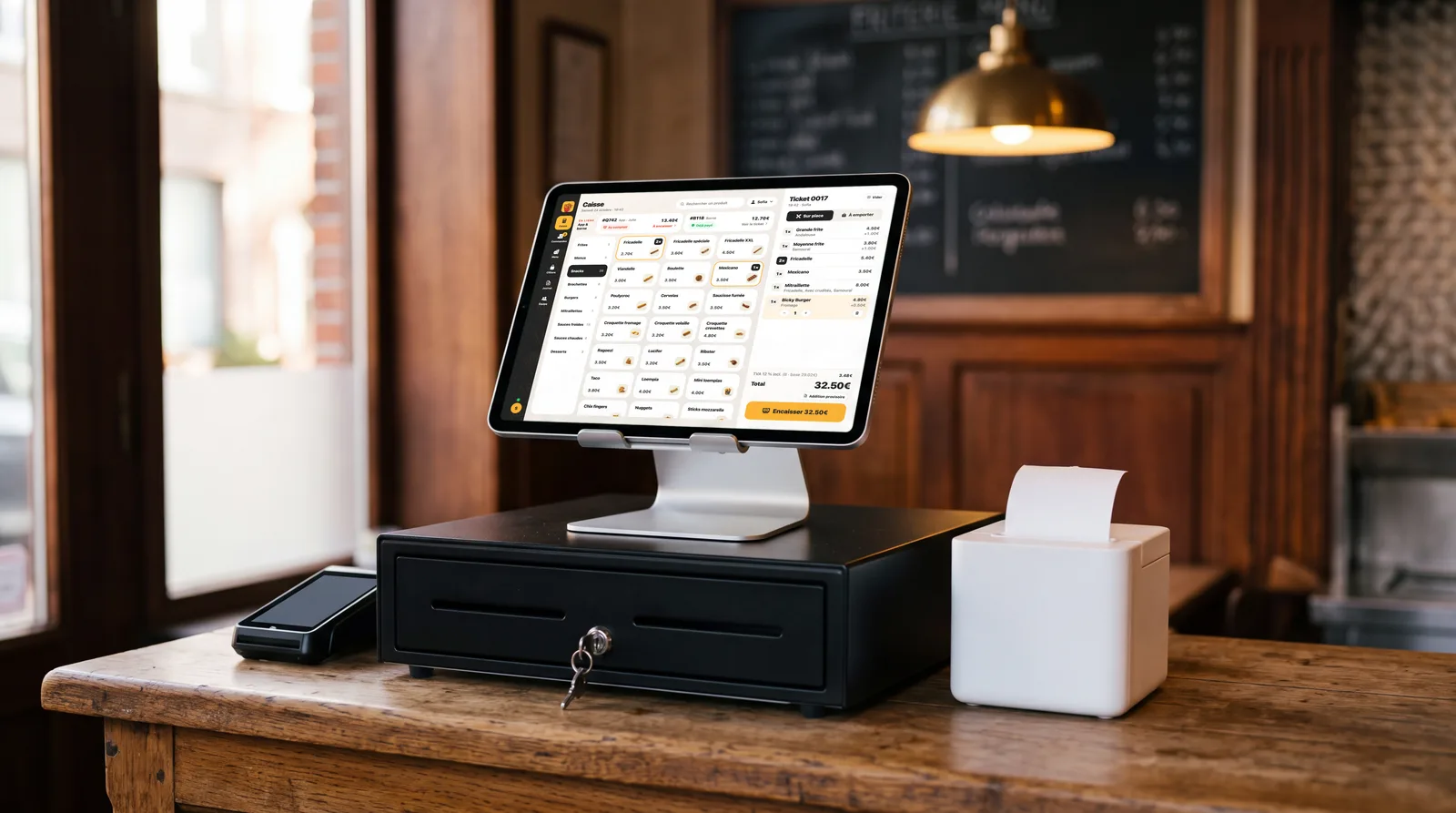
The counter, the app and the kiosk in one till. Online orders arrive by themselves, and you ring up the rest in a few taps, on a tablet or a computer in your fries shop.
- Counter, app and kiosk together
- On a tablet or a computer
- Set up with you
Where is the till at?
It all comes down to one question: must your fries shop use a registered cash system (GKS)?
- Available now
You are not subject to the GKS
The till is available now for businesses that are not required to have a registered cash system, for example a fries shop where people mostly take away.
- GKS 2.0: coming soon
You must have a GKS
The till's GKS 2.0 certification is in progress with the FPS Finance. Let us know: we will tell you as soon as it is ready.
Who must have a GKS?
A hospitality business whose meals eaten on site exceed €25,000 excluding VAT a year (drinks not included). Takeaway sales do not count towards this threshold, which is calculated per establishment. Above it, every sale goes through the registered cash system, takeaway and online included.
Check your situation with your accountant.
What it does
The till is part of Fritzy: it uses your menu, and the orders from the app and the kiosk arrive in it.
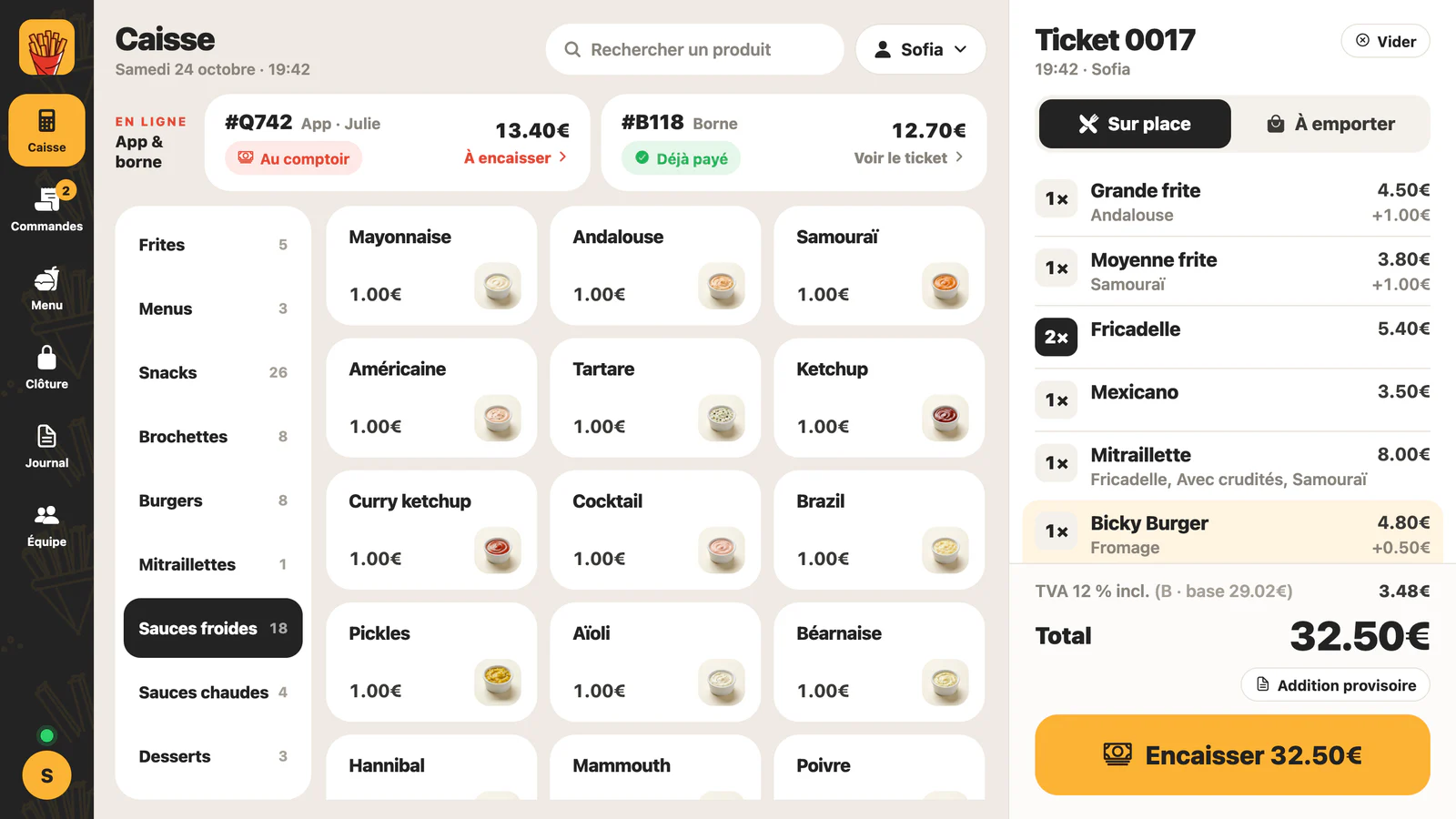
A sale in a few taps
All your categories stay visible on the left, your products in the middle, the ticket on the right.
- Eat in or take away, in one tap
- The VAT of every line is worked out for you
- A search to find a product
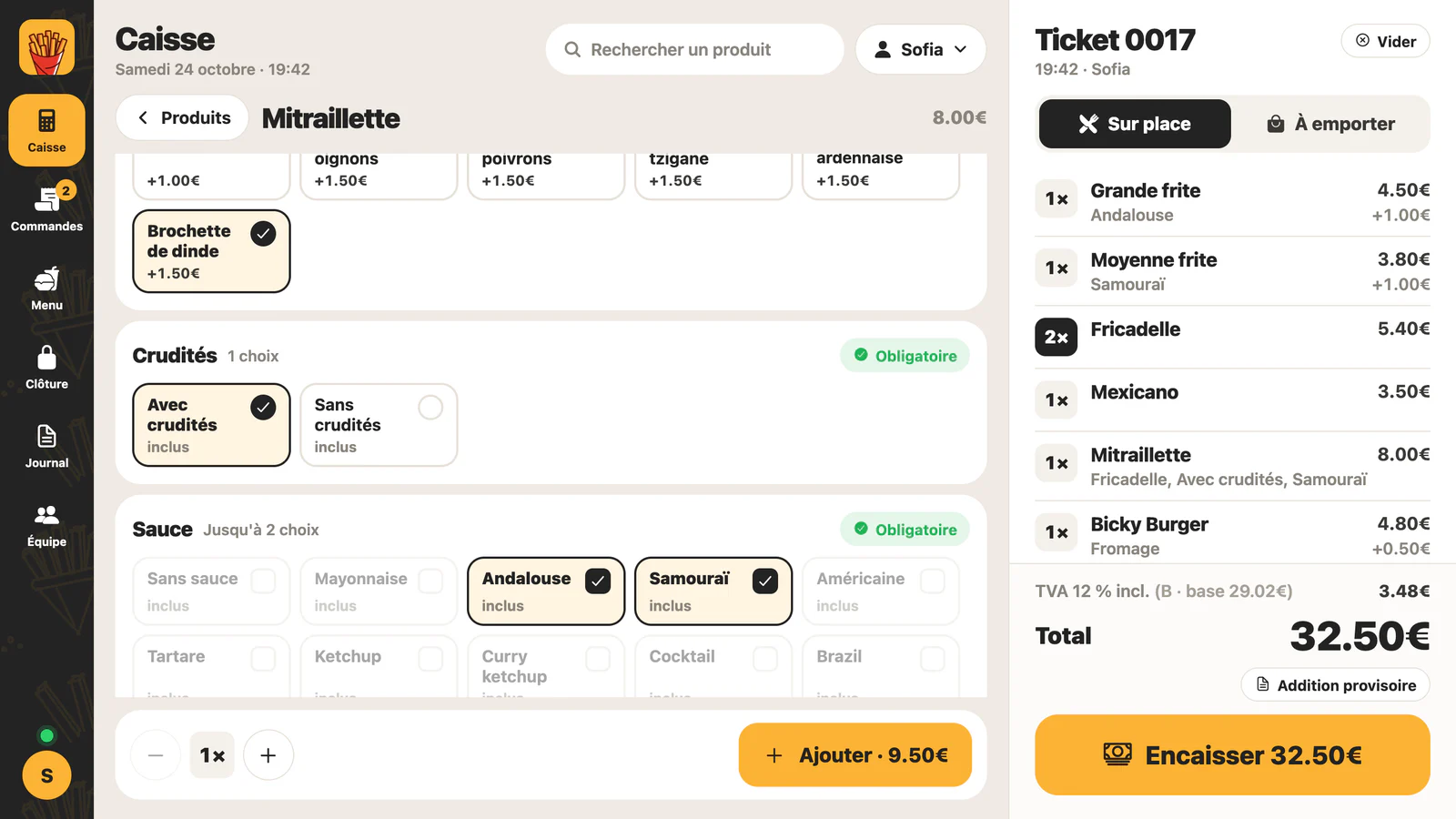
Options just like in the app
Sauces, salad, extras: a product with options opens full size, with every choice in view.
- The same options as in your Fritzy menu
- Required choices and the number of choices are respected
- The price of every extra is shown
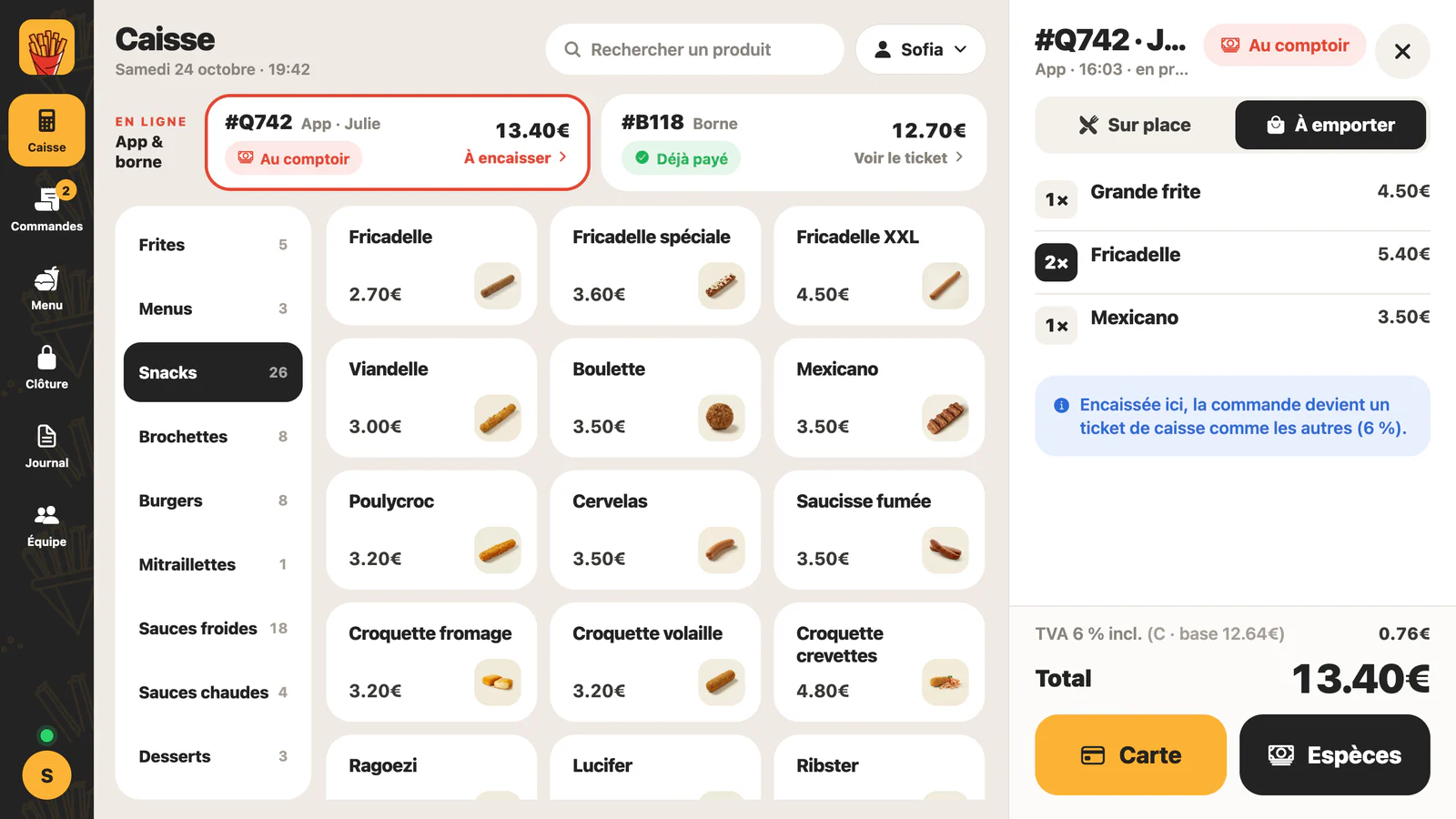
The app and the kiosk land in the till
No more typing orders twice: the orders from the app and the kiosk show at the top of the till.
- Paid online: it is already in your sales
- To pay at the counter: settle it from the till, by card or cash
- All of today's orders in one place
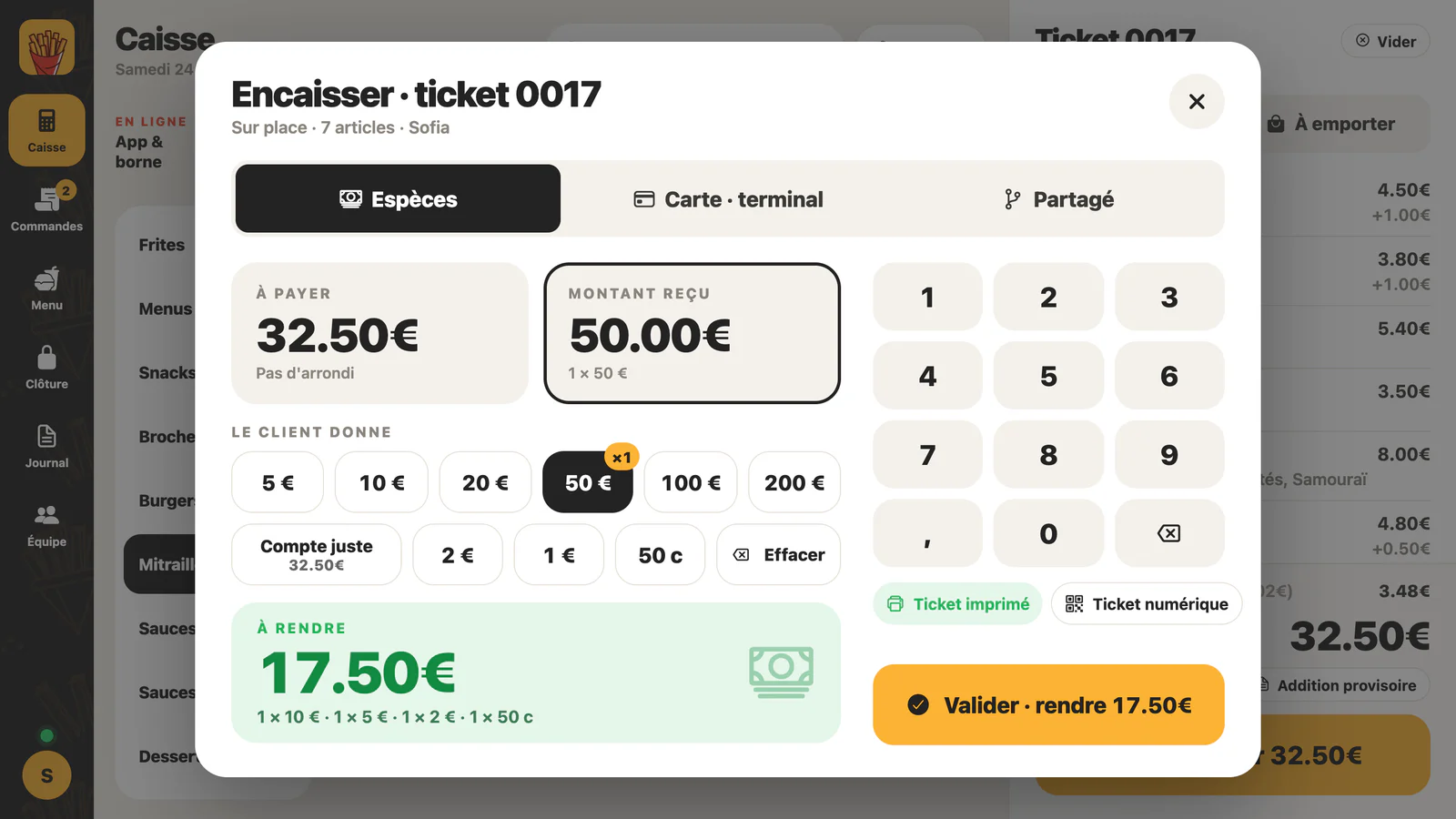
Cash: rounding and change
Rounding to 5 cents is applied for you, and the till shows the change to give back.
- Quick amounts or notes that add up (€20 + €20 + €2)
- The change, broken down into notes and coins
- A keypad to type the amount received
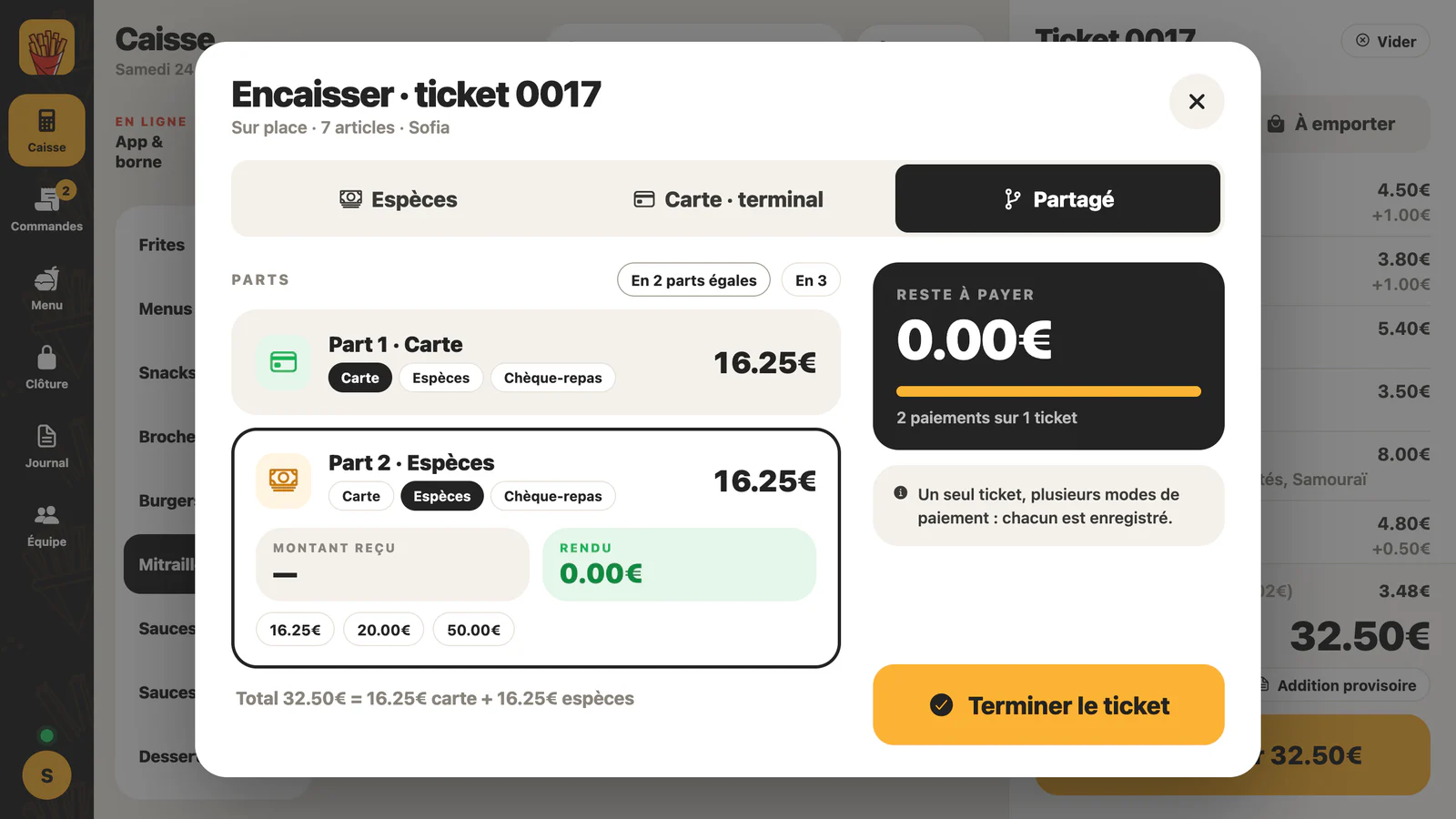
Card, meal vouchers or split payment
One ticket can be paid in parts: some by card, the rest in cash.
- Card on your payment terminal
- Meal vouchers
- In 2 or 3 equal parts, in one tap
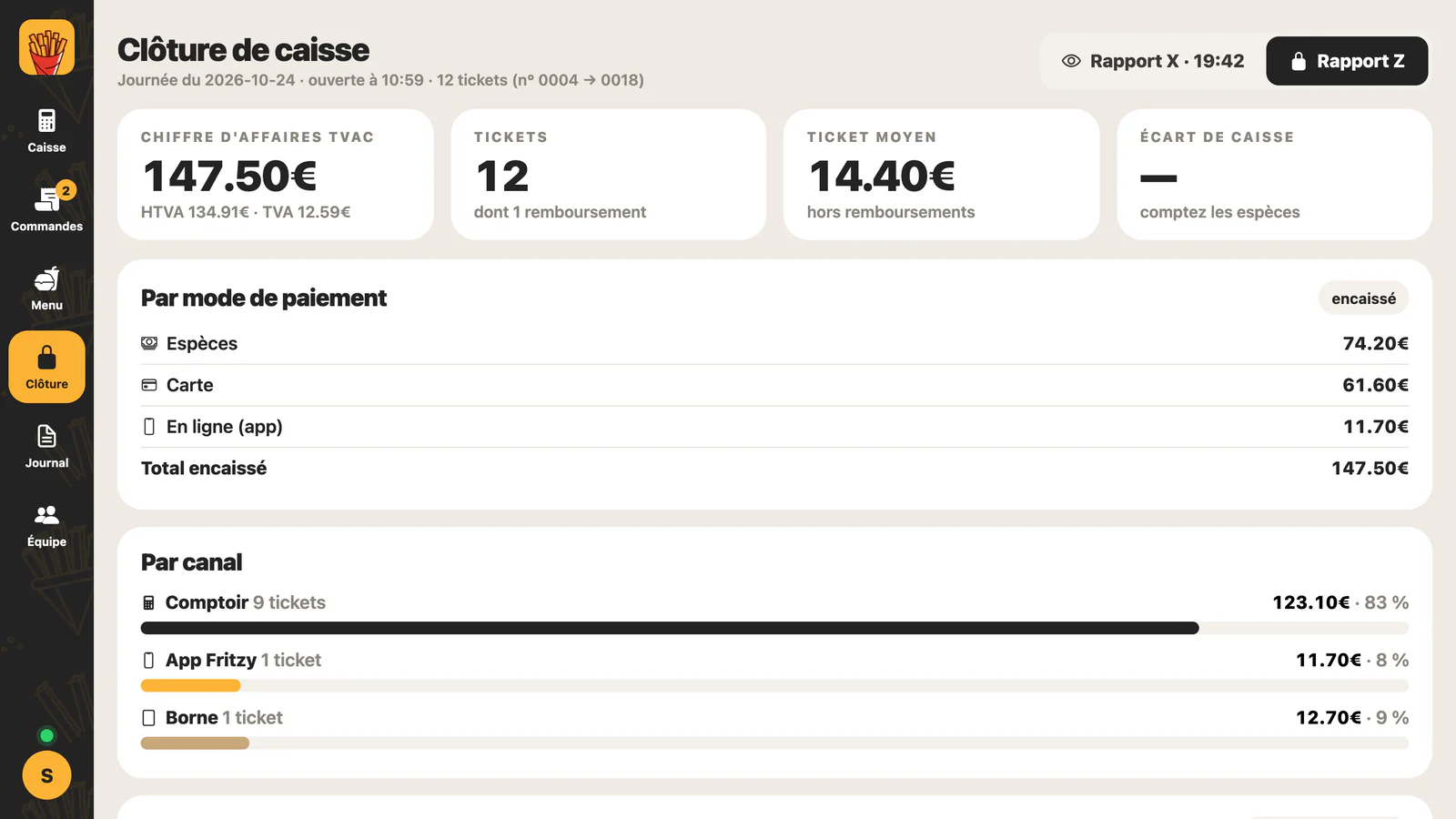
The day at a glance
Turnover, VAT, number of tickets, sales by payment method and by channel: counter, app or kiosk.
- X reports during the day, Z to close
- An automatic Z at night if nobody closed
- Cash count and cash difference
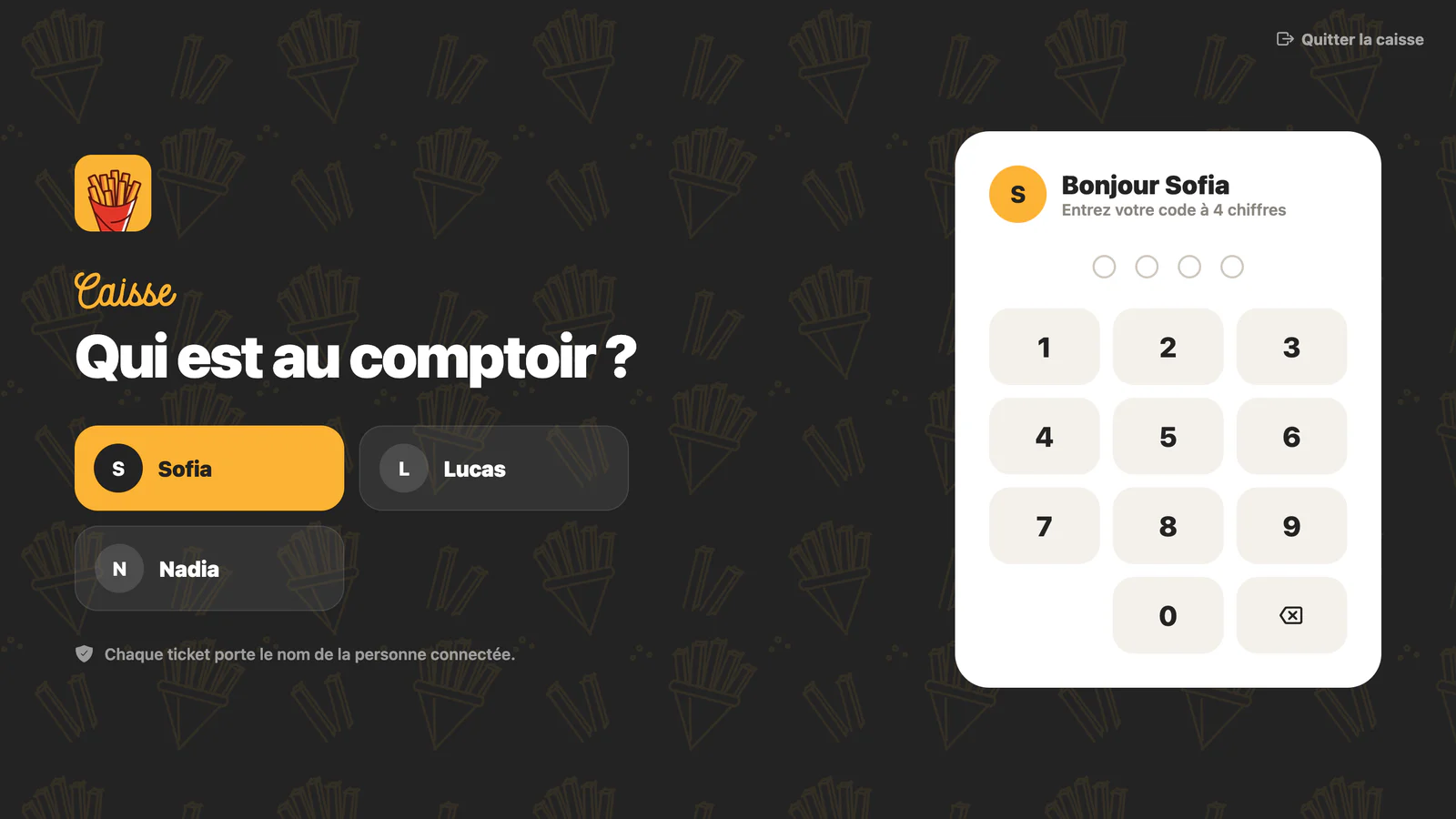
Every employee has a code
Everyone enters their 4-digit code, and every ticket carries the name of the person signed in.
- Clock in and clock out
- Lock the till in one tap
- Training mode: practice tickets, outside the turnover
And also
Epson and Star printers
The ticket prints by itself on an Epson or Star printer on the network, with a kitchen ticket without prices if you want one.
Digital ticket
Customer prefers no paper? They scan a QR code and keep their ticket on their phone.
Refunds and copies
A refund needs the manager's code, and a copy of a ticket is marked as a copy.
Sales that cannot be erased
The sales journal cannot be changed. Every closed day is archived for 10 years, and you export it for your accountant or an inspection.
One menu
The till uses your Fritzy menu: a new price or a new product shows there too.
Tablet or computer
On an iPad, an Android tablet or a computer's browser, with the same Fritzy account.
The hardware
Nothing complicated: a screen, a receipt printer if you want paper, and the payment terminal for cards.
Tablet or computer
An iPad, an Android tablet or a computer with an up-to-date browser, at the counter.
Receipt printer
Our picks: Epson TM-m30III or Star mC-Print3, 80 mm, connected to your fries shop's network.
Payment terminal
€290 excl. VATper terminal
We supply it at cost. Your customer pays by card on the terminal, and the till records the payment.
Internet
A stable connection at the counter, by cable or Wi-Fi: every sale is recorded online.
How to get started
We set the till up with you.
We talk
A call: your situation with regard to the GKS, the hardware you already have, what you need.
The hardware
Tablet or computer, printer and terminal: from our picks or your own choice.
We set it up with you
Your employees and their codes, the printer, the payments you accept: everything is ready before the first customer.
First service
You ring up at the counter, and the orders from the app and the kiosk arrive in the till.
Frequently asked questions
Is the till GKS certified?
Not yet. The GKS 2.0 certification is in progress with the FPS Finance. Until then, the till is for businesses that are not required to have a registered cash system.
When will it be certified?
We give no date until the procedure is complete. Leave us your details: we will let you know as soon as it is done.
Does my fries shop need a GKS?
Yes if the meals eaten on site exceed €25,000 excluding VAT a year in your establishment (drinks not included). Takeaway sales do not count towards this threshold. Since 1 July 2026, a new registered cash system must be GKS 2.0; existing tills move to version 2.0 between 2027 and 2029, depending on when they were bought. Check your situation with your accountant.
Does my ticket replace the VAT receipt (souche TVA)?
Not yet. Until the till is GKS-certified, its ticket is a sales receipt with VAT per rate, but not a legal « VAT receipt »: the law only accepts the VAT receipt booklet from an approved printer or a GKS ticket. Takeaway meals need no VAT receipt. For meals eaten on site in a business below the threshold, you keep handing out your VAT receipts as today. Once certified, the GKS ticket replaces them.
How much does it cost?
The only hardware we sell you is the payment terminal, at cost (€290 excl. VAT). We go over the terms of use of the till together before you start: everything is clear before the first ticket.
What about my online orders and my kiosk?
They arrive in the till. An order paid online is already in your sales; an order paid at the counter is settled from the till, like any other sale.
Does it work without internet?
No. Every sale is recorded online when you ring it up. Without a connection, the till warns you and the sale is not recorded: plan a stable connection at the counter.
What about my data?
The sales journal can be neither changed nor deleted. Every closed day is archived for 10 years, and you can export your sales for your accountant or an inspection.
I already have a Fritzy tablet, is that enough?
The till runs in the Fritzy app, on a tablet or a computer. We check together whether your device is suitable and what else you need (printer, terminal).
Want the till?
We look at your situation with you and set the till up in your fries shop.
Let's talkor write to us at [email protected]
See also: the kiosk · the TV screens